Free AI generation
Draft and rewrite captions in the OpenQuok social scheduler — on-device Writer, Summarizer, and Rewriter, plus agent and API scheduling.
Connect your agent today
Draft from chat, review in your calendar, and publish only what you approve.
Free AI generation
Writer, Summarizer, and Sound more human — on-device in the composer, or schedule drafts from agents.
Where: The post editor toolbar and the same three tools on each Follow-up comments row.
Generate and rewrite post copy in the post editor, or schedule drafts from an agent, MCP client, or CLI.
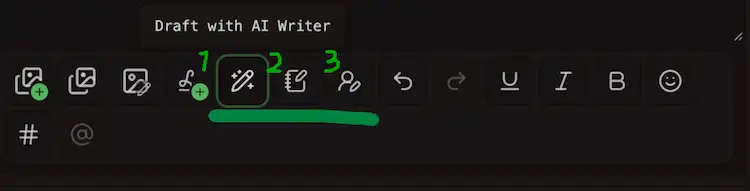
| Tools | What it does |
|---|---|
| AI Writer | Drafts new caption text from your prompt, then appends the result to the caption box |
| Summarizer | Shortens the caption, then replaces that text with the summary |
| Sound more human | Rewrites the caption, so it reads less machine-written, then replaces the source text |
Unlimited writing
OpenQuok does not meter AI usage by credits. Writer, Summarizer, and Rewriter run in your browser after you opt in. Inference stays on your device, not OpenQuok’s server.
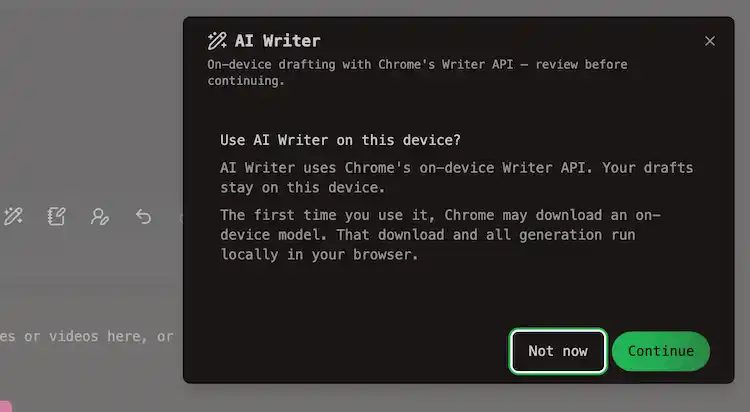
Unlimited means no token bucket to drain in the dashboard. It does not guarantee every laptop can download the on-device model, or that Chrome’s experimental APIs stay unchanged. If those APIs becomes stable, there should more supported devices.
You may still hit platform character limits and save-time validation — see Posting rules by platform.
Warning
The local LLM model runs on your device in supported Chromium browsers. They use Chrome's Writer API, Rewriter API, and Summarizer API, which are still experimental. The first use may download an on-device model. Android, iOS, and browsers without these APIs are not supported for on-device generation.
AI Writer
AI Writer drafts new caption text from your prompt. It uses the Chrome Writer API on your machine.
Open the tool. Type what you want. The modal streams a draft. Refine it with chips such as More casual, Shorter, or Sound more human. Those refinements use the Rewriter API.
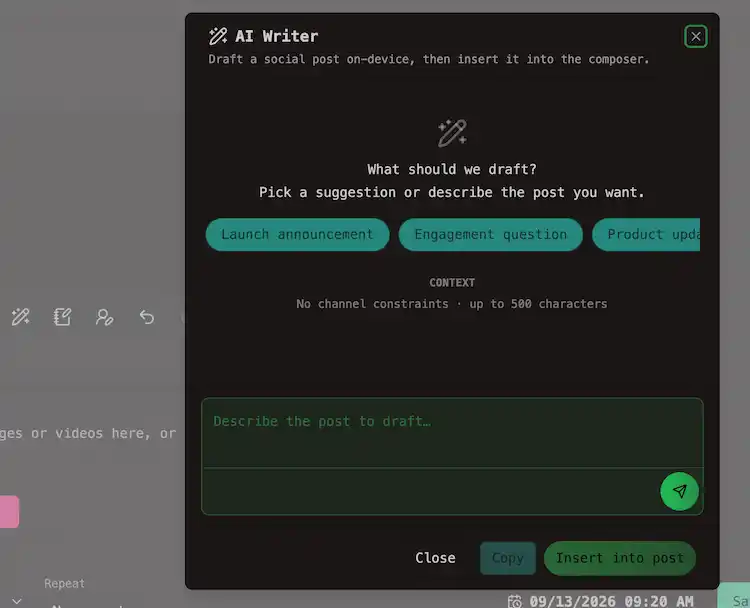
When you are ready, Insert appends the draft to the caption. The modal can show a soft character limit for your selected channels.
Summarizer
Summarizer shortens text that is already in the post editor. It uses the Chrome Summarizer API. For long captions, OpenQuok may summarize in chunks and merge the result.
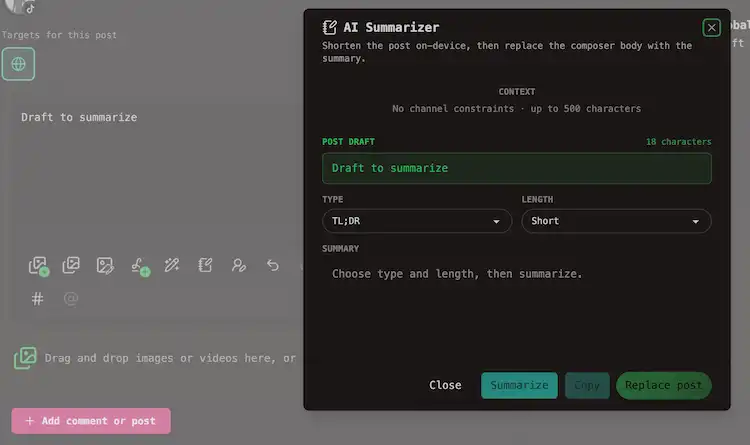
Pick a type and length:
| Type | What you get |
|---|---|
| TL;DR | A tight summary of the main point |
| Key points | Bullet-style takeaways |
| Teaser | A short hook |
| Headline | A one-line title |
Length options are Short, Medium, and Long.
Sound more human
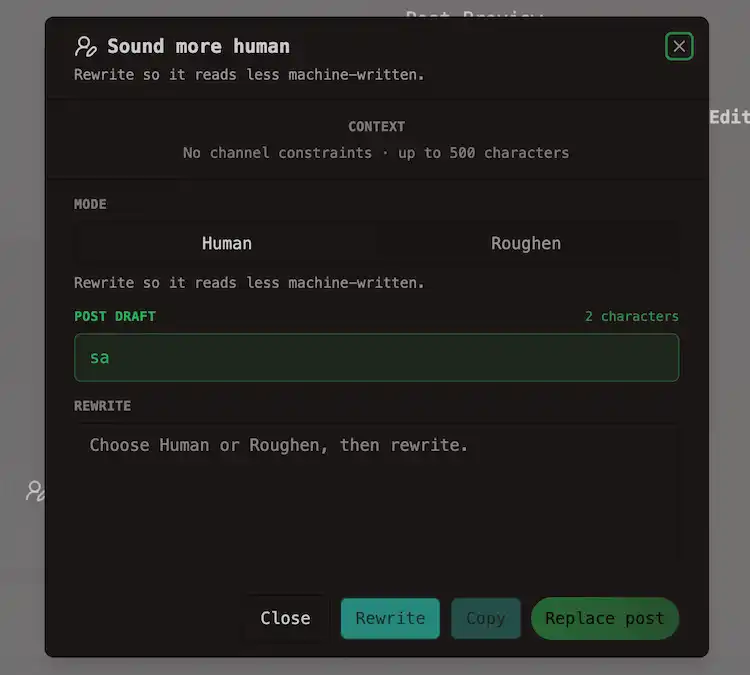
Sound more human rewrites existing copy so it reads less machine-written. It uses the Chrome Rewriter API.
| Mode | What it does |
|---|---|
| Human | Same facts and call to action — less stock phrasing |
| Roughen | Rougher, more spoken voice. Review any invented names, dates, or prices before you post |
The modal shows a tells count before and after the rewrite. That count tracks common machine’s habits. It is not a detector score.
When Rewriter is not available, OpenQuok runs a local cleanup on the same catalogs (stock phrases, em dashes, pep-talk endings, and similar).
Tip
The local cleanup's result should be faster and more predictable, but less nuanced than the on-device model. Also, Sound more human still applies a local phrasing cleanup when Rewriter is missing.
Tip
Read How OpenQuok Humanizer rewrites a draft in the browser for the writing catalogs and the two rewrite paths.
Free Humanizer tool
The public Humanizer at /tools/humanizer uses the same Human and Roughen modes. Rewrite and copy text with no account. Channel chips are samples for format and limits only.
Sign in when you want real channels, drafts, and scheduling in the composer.Per-network pages such as LinkedIn Humanizer preselect a sample chip and tighten the FAQ for that network.
Follow-up comments
On networks that support Follow-up comments, each reply row has its own mini toolbar with AI Writer, Summarize, and Sound more human. Behavior matches the main caption tools. See Threads and comments.
Agent, MCP, CLI, and API
Alternativel, you may use your prefered agents to schedule posts. The options are:
| Path | Typical use |
|---|---|
| MCP | Ask Cursor, Claude Desktop, or another MCP client to schedule a post — see MCP introduction |
| CLI | Run openquok posts:create from a terminal — see CLI |
| Public API | Call POST /public/posts with an API key — see Public API |
Privacy and review
After the first model download, Chrome’s on-device APIs process text locally. OpenQuok still stores the caption you save as a draft or scheduled post in your workspace.