Meta Threads
How to configure Meta Threads for OpenQuok
Connect your agent today
Draft from chat, review in your calendar, and publish only what you approve.
Overview
Threads publishing uses Meta’s Threads API behind an OAuth 2.0 flow. You need a Meta for Developers app with Threads access, valid OAuth redirect URIs, and backend env vars THREADS_APP_ID and THREADS_APP_SECRET.
For Meta’s product requirements and API surface, see Threads API documentation. The steps below add OpenQuok-specific URLs and envs.
Complex setup
Backend environment
OpenQuok reads Threads credentials only through backend/config/GlobalConfig.ts (populated via getEnv from backend/config/envHelper.ts). Set:
- THREADS_APP_ID — **Threads App ID** from the Meta app dashboard
- THREADS_APP_SECRET — **Threads App Secret** (treat as confidential)
Copy from backend/.env.development.example into backend/.env.development.local, fill values, then restart the backend process.
The frontend base URL used for OAuth redirects comes from FRONTEND_DOMAIN_URL (default http://localhost:5173 for local Vite).
OAuth redirect URI (what to enter in Meta)
Meta redirects the browser back to your web app after consent—not to /api/v1. The backend builds the redirect from FRONTEND_DOMAIN_URL plus the path /integration/oauth/threads.
- Production (when FRONTEND_DOMAIN_URL is https://…): register
https://YOUR-FRONTEND-DOMAIN/integration/oauth/threadsNote
Use the scheme and host from FRONTEND_DOMAIN_URL only (no path, no trailing slash). www and apex differ—for example if the env is https://www.example.com, Meta must list https://www.example.com/account/…, not the apex URL, unless that is what you configured everywhere. See Configuration - Backend.
- Local development (recommended): Meta requires HTTPS redirect URIs for Threads. Run your web app on HTTPS (for example with a local dev certificate) and set FRONTEND_DOMAIN_URL accordingly. Typical value:
https://localhost:5173/integration/oauth/threadsMeta app setup (summary)
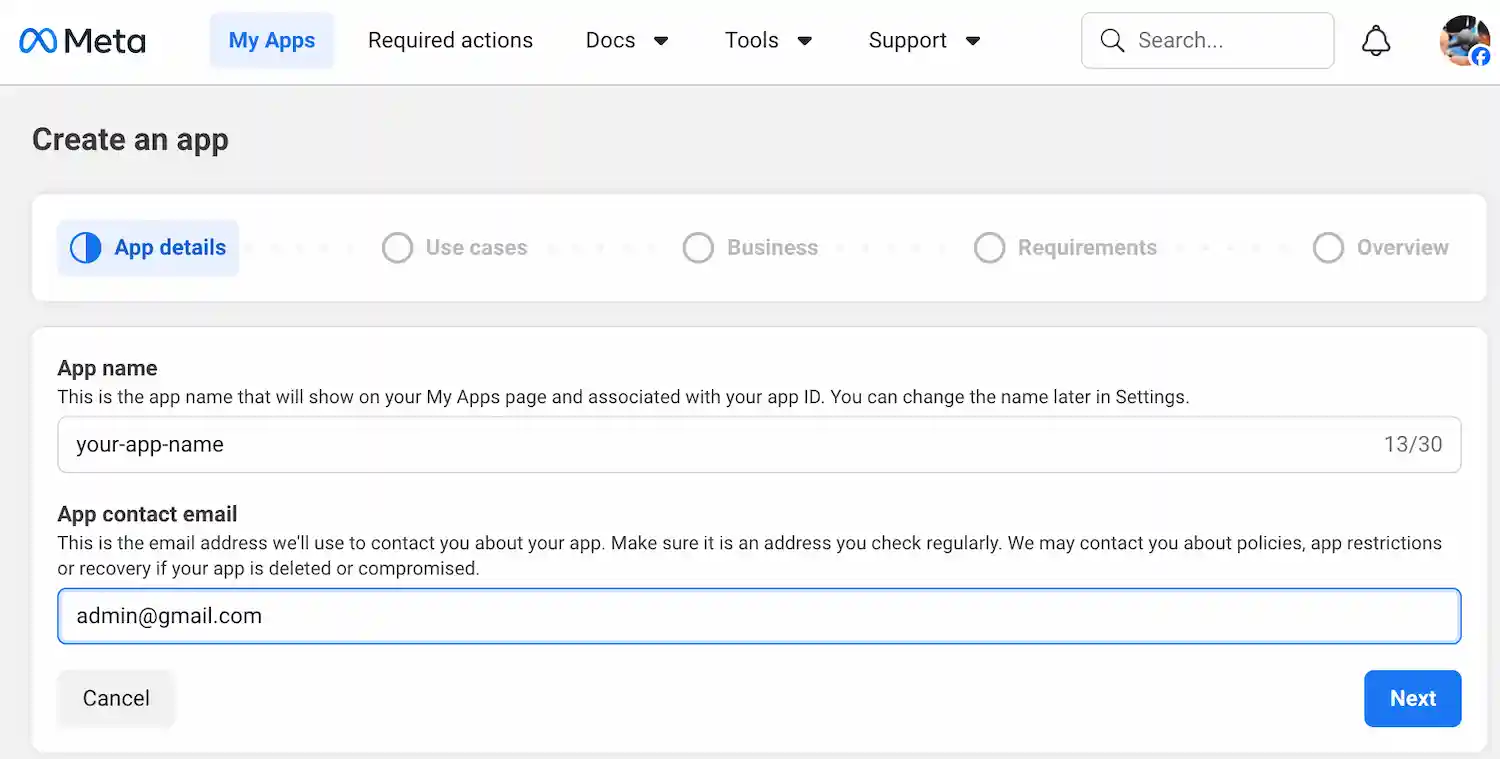
Create a Meta app
Create an app in Meta for Developers.
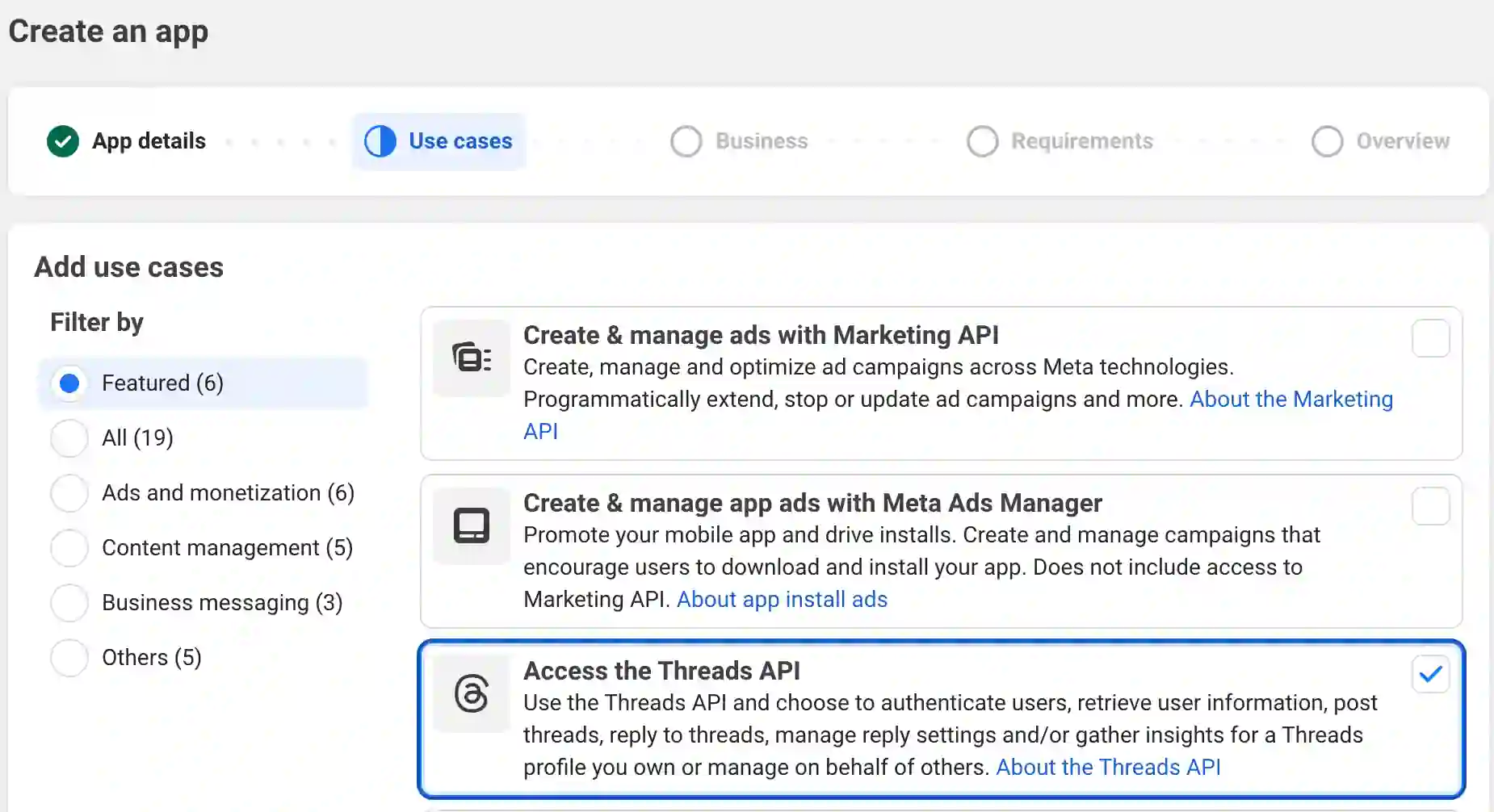
Request access to Threads
Select Access the Threads API.
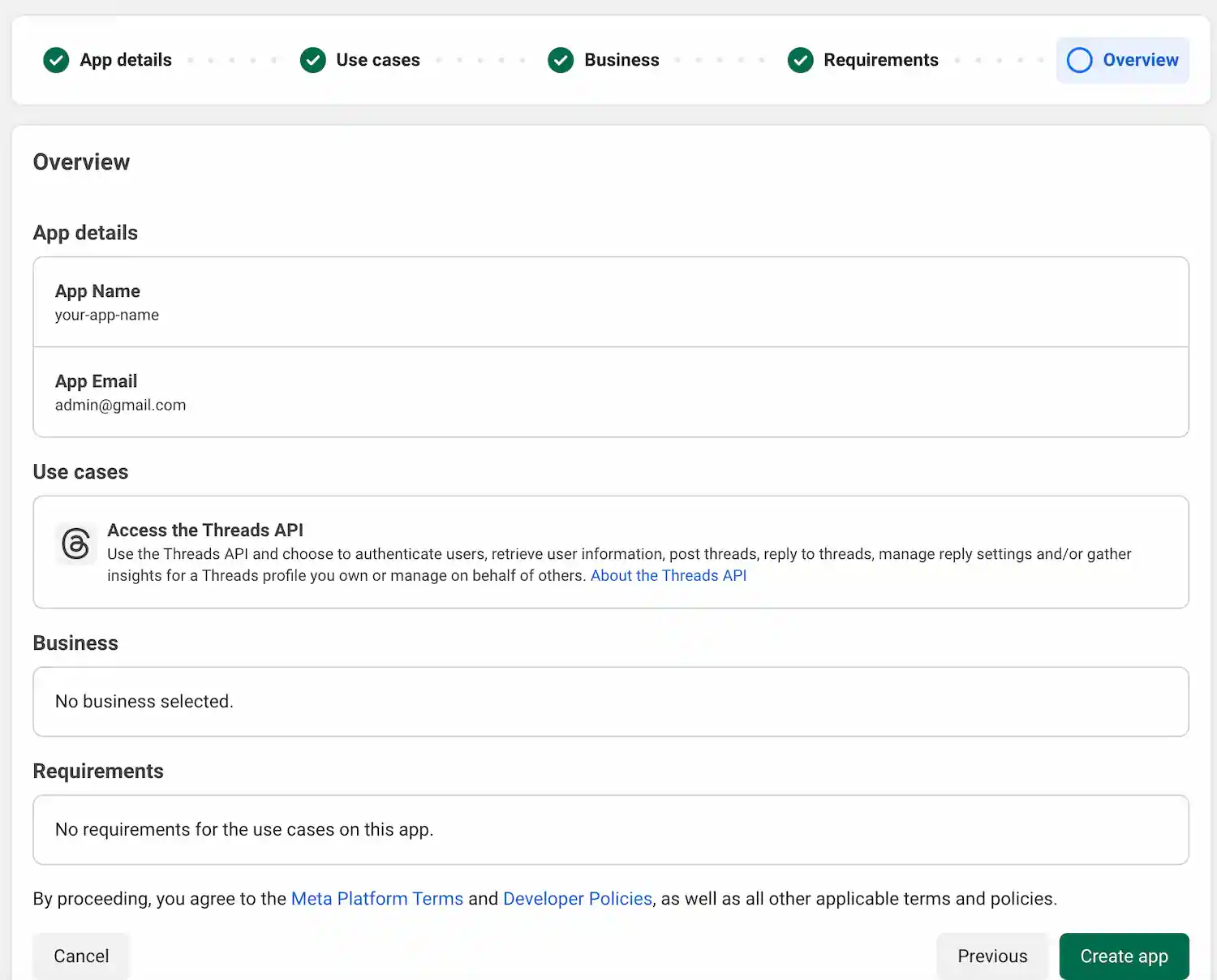
Finish Creating Meta App
You can skip adding business details and connecting a business portfolio
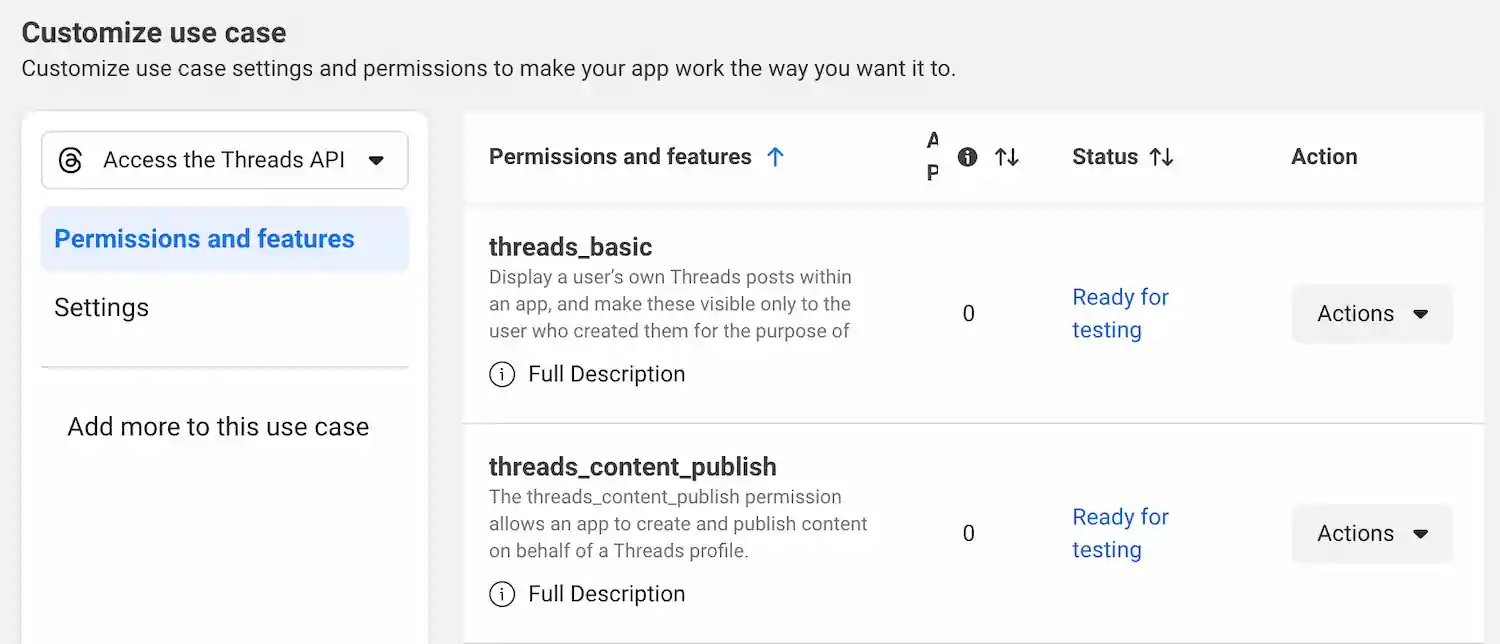
Scope a Meta app
On your app dashboard, Select Access the Threads API to customize the API access.
Add these permissions under Access the Threads API (OpenQuok requests them at connect time):
- threads_basic — profile and account basics
- threads_content_publish — publish posts and replies
- threads_manage_replies — same-account Follow-up comments (thread replies and comments)
- threads_manage_insights — channel and post analytics
- threads_manage_mentions — cross-account comments on posts that mention the acting account (see below)
Tip
Note
OpenQuok uses threads_manage_mentions when a different Threads channel comments.Submit a separate App Review for Advanced Access on threads_manage_mentions (screencast: OAuth grant including the scope → publish a main thread → another workspace channel comments).
Configure API settings.
In the Meta app Settings area, copy Threads app ID → THREADS_APP_ID, and Threads app Secret → THREADS_APP_SECRET to your env file.
Restart the app. Otherwise, the backend may not pick up your new environment variables
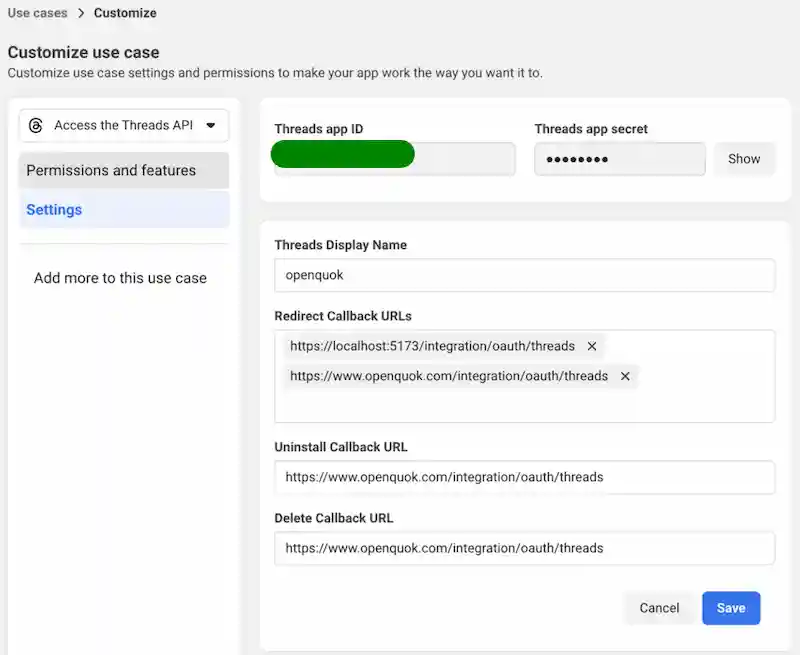
Add the production and/or local redirect URIs from the OAuth redirect URI (what to enter in Meta) section.
Meta dashboard form
About HTTPS relays
http:// segment even when the outer URL is HTTPS. Prefer a “pure HTTPS” redirect URI (HTTPS localhost or an HTTPS tunnel).Add the Threads account as a tester
In the Meta developer app sidebar, go to App roles → Roles.
- Open the Testers tab, then choose Add People.
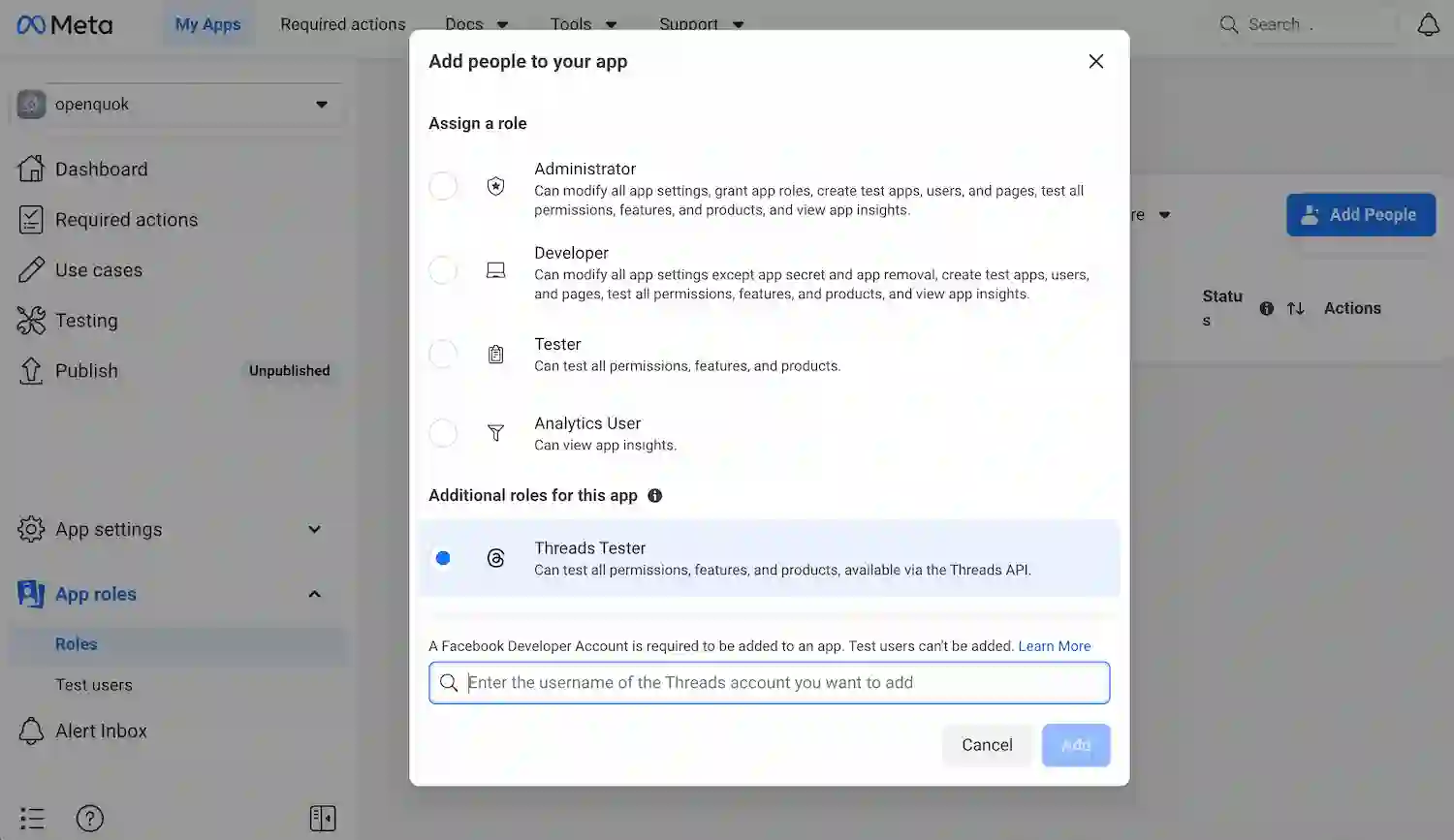
Under additional roles for this app, select Threads Tester.
Enter the Threads username that should test the app (often your own). That handle is for Threads and can differ from the Meta developer account tied to Facebook.
Allow the app on your Threads account
In Threads (app or threads.net), open your account Settings.
- Open Website permissions, then the Invites tab.
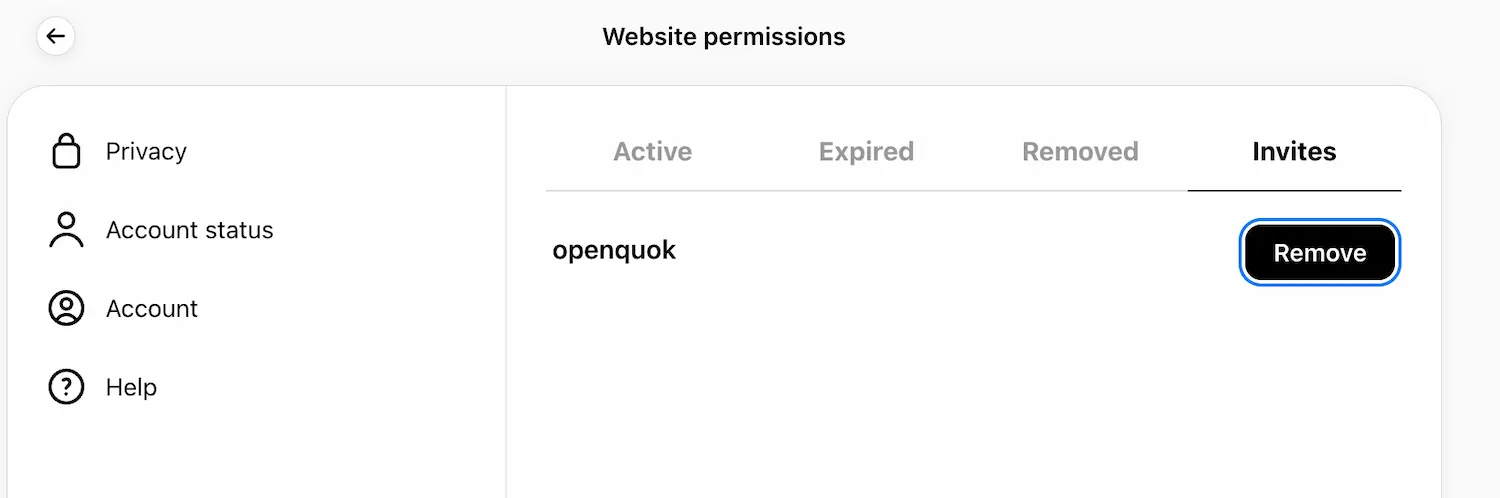
- You should see a pending invite for the app — accept it to finish tester setup for that account.
Start testing
Return to the Meta developer portal. In the sidebar, open Testing, then open Graph API Explorer.
- In the header, open the API selector (app / API version dropdown) and switch it to the Threads endpoint Meta lists. In this case it is for example threads.net with v1.0 (labels vary by dashboard version).
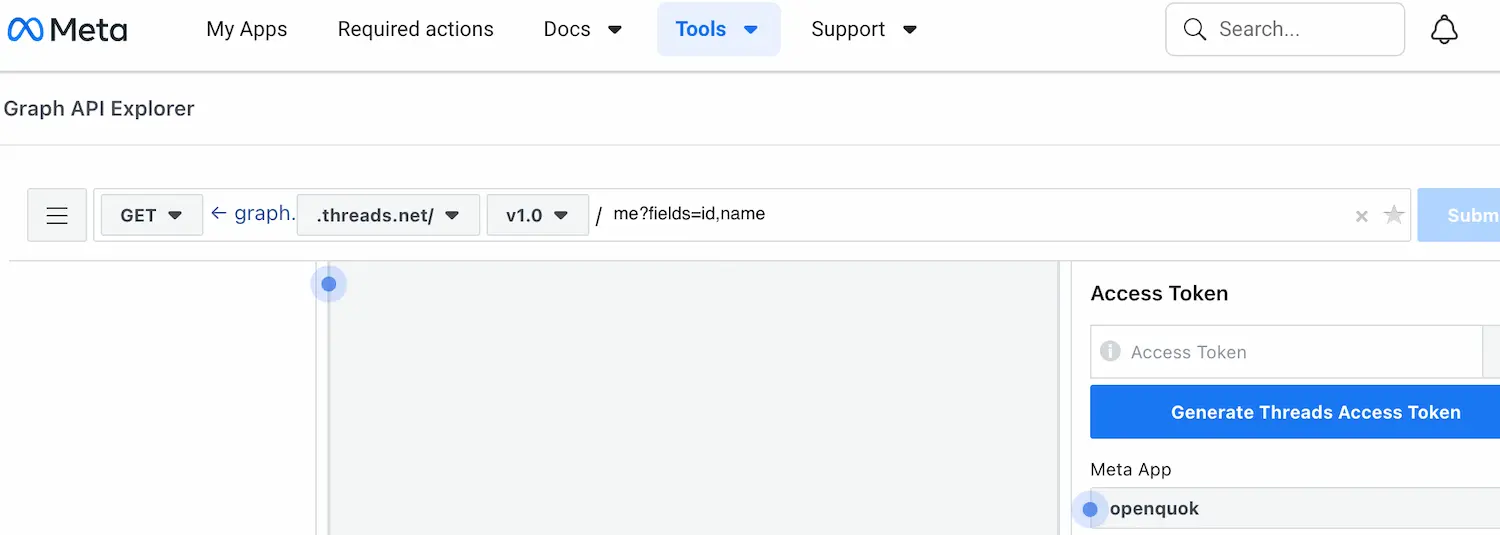
In the right sidebar, under Access Token, choose Generate Threads Access Token. A new window lets you pick the Threads account to test with—use one that accepted the tester invite earlier.
If everything is wired correctly, Meta returns a long alphanumeric access token.This is just only confirms that the tester setup work.
How OpenQuok uses the flow
Authorize URL is produced by the backend (session or programmatic API); the user signs in with Meta and returns to the frontend route with an authorization code.
The web client then calls the backend social-connect endpoint with code, state, and timezone so the server can exchange the code and persist the channel.
API prefix defaults to /api/v1 (see API_PREFIX). Typical patterns include session routes under /integrations and org–key routes under /public—see route modules in backend/routes for the exact paths in your checkout.