Resend - Email Setup
Supabase email confirmations, local development email server, self-hosted no-email mode, and Resend production setup for OpenQuok.
Connect your agent today
Draft from chat, review in your calendar, and publish only what you approve.
Overview
Email flows involve both:
- Supabase Auth configuration in the Supabase Dashboard
- Backend environment variables that enable sending and pick a provider
Self-hosted / no email provider
Use this when you run OpenQuok without an email features (typical self-hosted that skip mail entirely).
EMAIL_ENABLED=false| Behavior | Effect |
|---|---|
| Outbound mail | Disabled — no verification, invite, or notification emails |
| Signup | New users are marked verified automatically |
| Sign-in | Email verification is not required |
You do not need Resend, local inbox mocks, or AWS SES credentials in this mode.
Tip
Steps (local)
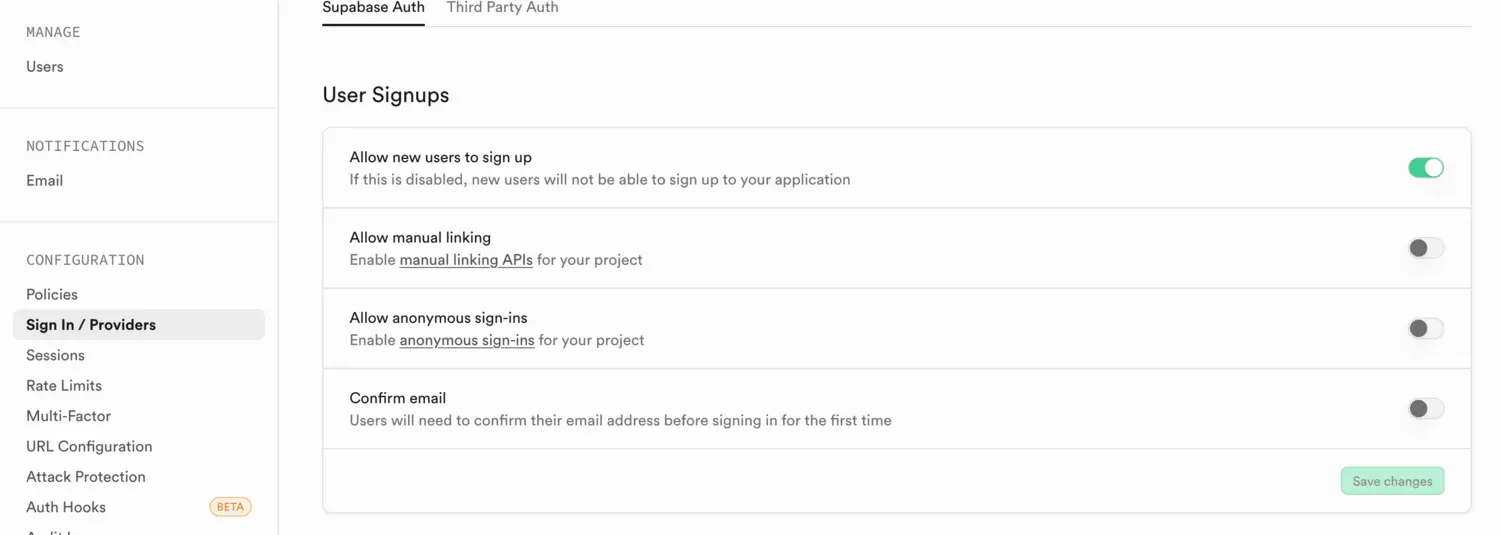
Configure Supabase auth email settings
In the Supabase Dashboard, configure whether sign-in requires email confirmation and related Auth settings.
Run the backend with the local inbox
pnpm dev:with-local-emailSet environment variables
Local email development uses an AWS SES-compatible workflow with an offline/local inbox mock, so the backend still expects AWS credentials (even though the values can be placeholders). Set EMAIL_ENABLED to true so verification mail is sent and the verify-signup flow applies.
EMAIL_ENABLED=true
IS_EMAIL_SERVER_OFFLINE=true
AWS_ACCESS_KEY_ID=local
AWS_SECRET_ACCESS_KEY=local
View sent emails
Open the local inbox UI at http://localhost:8005.
Two local modes
Self-host / no inbox: EMAIL_ENABLED =false — no mail, signup auto-verified (section above).
Local inbox testing: EMAIL_ENABLED =true plus IS_EMAIL_SERVER_OFFLINE =true — current contributor path for viewing messages at port 8005.
Steps (production with Resend)
Verify your domain in Resend
Verify the root domain (not only a subdomain) in Resend Domains.
Set sender address and API key
SENDER_EMAIL_ADDRESS=support@yourdomain.com
RESEND_SECRET_KEY=
Outbound mail uses the Resend HTTPS API (POST https://api.resend.com/emails), not SMTP port 465. That avoids PaaS environments that block outbound SMTP while still allowing HTTPS.
Implement DMARC (recommended for Gmail to not be marked as spam)
Resend domain verification ensures SPF and DKIM are in place, but DMARC is configured via your DNS provider. Follow the Resend guide: Implementing DMARC.
If you use AWS Route 53:
- Go to Route 53 → Hosted zones → select (e.g. openquok.com)
- Create a record:
- Name: _dmarc
- Type: TXT
- Value:
"v=DMARC1; p=none; rua=mailto:dmarcreports@yourdomain.com;"Start with p=none (monitoring) and move to p=quarantine once you confirm your mail is passing DMARC.