How to configure LinkedIn personal profile for OpenQuok — TikTok Developer portal, OAuth redirect URI, scopes, and backend env vars
Connect your agent today
Draft from chat, review in your calendar, and publish only what you approve.
Overview
Connect a personal LinkedIn profile to OpenQuok with identifier linkedin. OAuth completes in a single step (no Page picker). Publishing uses the official LinkedIn REST Posts API.
For company Pages, see LinkedIn Page. Both channels share the same LinkedIn developer app credentials.
One LinkedIn app
Features
Supported
| Feature | Details |
|---|---|
| Text posts | Up to 3,000 characters |
| Images | Multi-image posts |
| MP4 video | One attachment per post |
| Follow-up text comments | Text-only replies after the main post |
| Image → PDF document carousel | ≥2 images, no video; enable Post as image carousel in per-channel composer settings — OpenQuok converts images to a PDF at publish time. Optional Carousel document title (default: slides) |
| Cross-account comment / reshare plugs | In per-channel settings, enable Add comments by a different account or Add re-posters; pick other connected LinkedIn channels, set a delay, and (for comments) the message text. Rules run after the post is live |
| Company mention | Composer toolbar LinkedIn icon — paste a linkedin.com/company/… URL to insert an organization mention tag |
| @-mention lookup | Unlock the LinkedIn channel in custom mode, type @ plus at least two characters (or use the toolbar @ button), then pick an organization from suggestions — backed by POST /integrations/mentions |
Not supported
| Feature | Notes |
|---|---|
| Account analytics | Available on linkedin-page channels only — see LinkedIn Page |
| Per-post analytics | Available on linkedin-page channels only |
| Page auto-repost / auto-plug | linkedin-page channel plugs only — see LinkedIn Page |
| Direct PDF file upload | Attach images instead; OpenQuok builds the document carousel at publish time |
Backend environment
Set in backend/.env.development.local (see backend/.env.development.example):
- LINKEDIN_CLIENT_ID
- LINKEDIN_CLIENT_SECRET
Restart the backend after changing env vars.
OAuth redirect URI
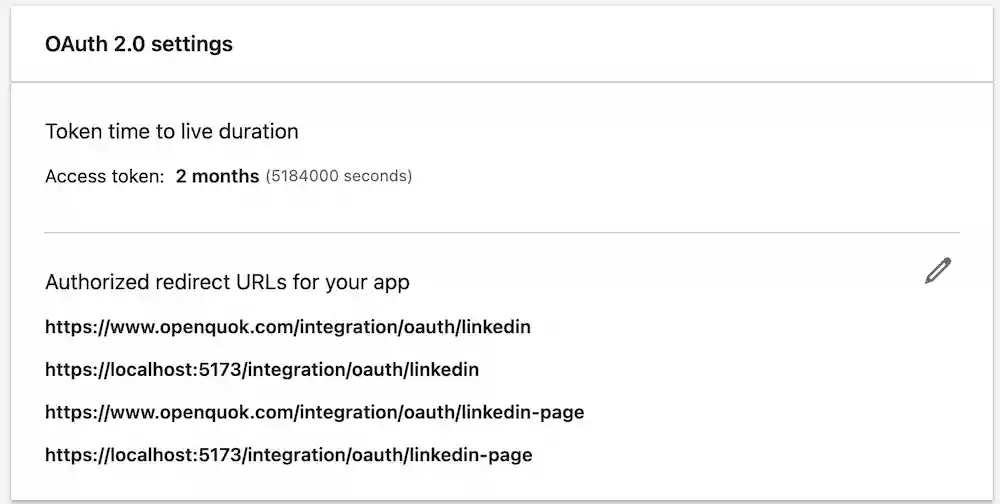
Register this redirect URI in your LinkedIn app (Auth tab). The path is built from FRONTEND_DOMAIN_URL:
https://YOUR-FRONTEND-DOMAIN/integration/oauth/linkedinLocal development example:
https://localhost:5173/integration/oauth/linkedinLinkedIn developer app setup
Create an app
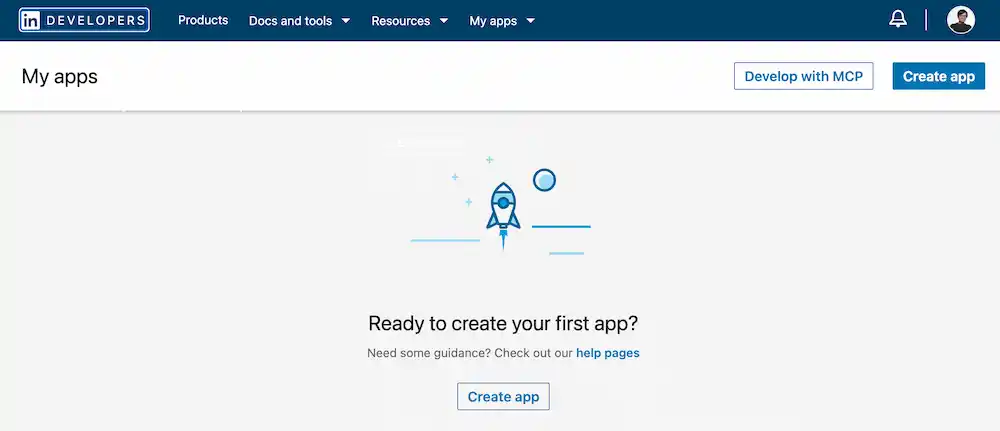
Create an app at LinkedIn Developers.
Add required products
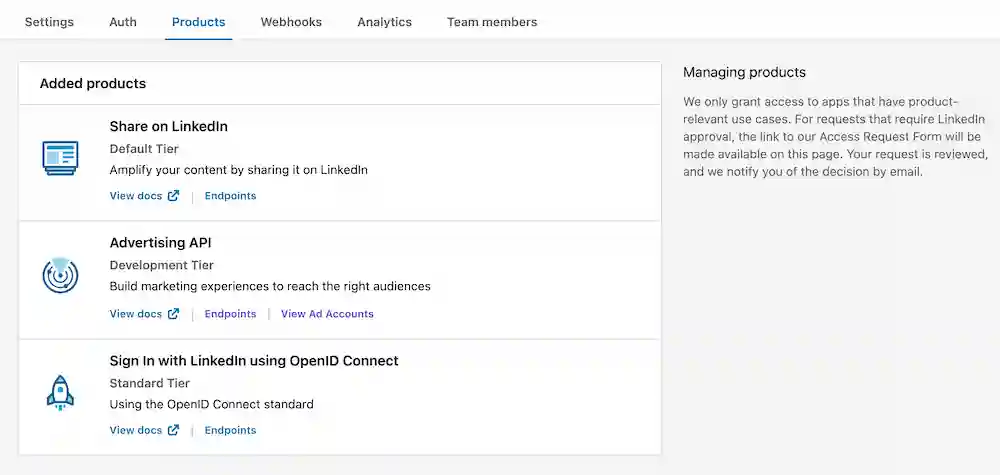
In Products, add all required products. They include:
- Share on LinkedIn
- Sign in with LinkedIn using OpenID Connect
- Advertising API
Note
OpenQuok requests openid and profile during OAuth and loads the signing-in member from LinkedIn’s /v2/userinfo endpoint.
Advertising API
Request the Advertising API product and complete LinkedIn’s access form. Without it, refresh tokens may not work and channels can disconnect.
In Auth, after verification is completed, you can verify that the following organization scopes are automatically added (required for linkedin-page — see LinkedIn Page for verification steps):
- rw_organization_admin
- w_organization_social
- r_organization_social
Set redirect URI
In Auth, add the personal profile OAuth redirect URI (see OAuth redirect URI above). If you also use linkedin-page, add that URI too (see LinkedIn Page — OAuth redirect URI).
Copy credentials
Copy Client ID and Client Secret into LINKEDIN_CLIENT_ID and LINKEDIN_CLIENT_SECRET.